Skip to content

For property managers

A guide in your namefor every rental.

GuestNotice sits on top of your property management software. Your guests find the wifi, the access and the good addresses without calling you. Your team sees today's arrivals. Your owners get a report.

No commitmentOn top of your management softwareSecure payment by Stripe

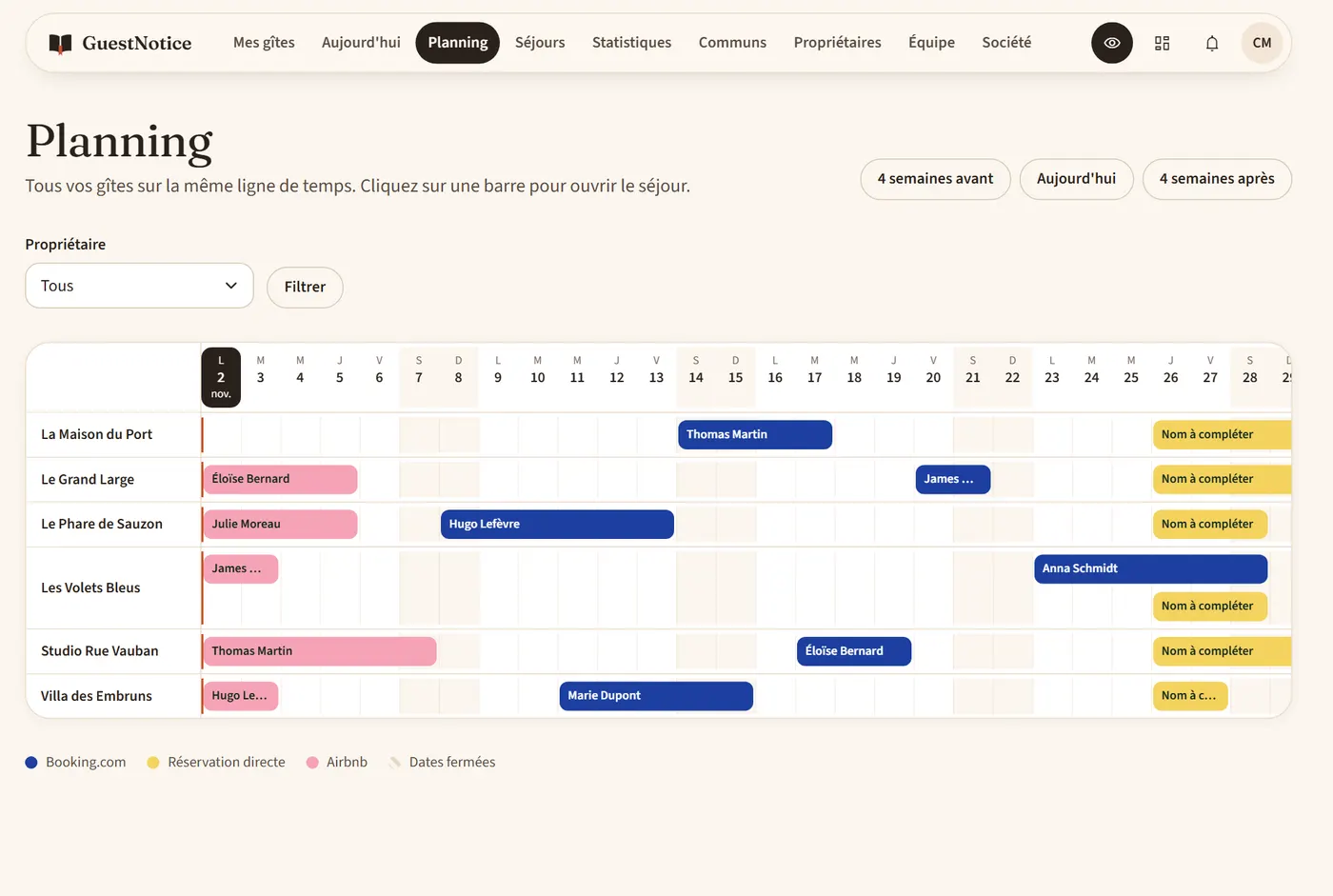
The planning: one row per rental, with the stays of each platform as colored bars.

What takes up your time

01

The same questions, every day

The gate code, the wifi, the checkout time. Rental after rental, your team answers what a guide can say.

02

One detail to change everywhere

An on-call number changes, and you redo each welcome book, one by one.

03

Owners asking for news

They want to know what happens at their place. You prepare the update by hand.

Fewer questions for your team. A guide in your name for your guests. A clear report for your owners.

A booking with GuestNotice

What happens, from booking to owner report.

  1. Booking

    The stay creates itself

    The iCal link from Airbnb or your management software is read every hour. You add the guest's name.

  2. Before arrival

    The guide, in your name

    You send the link by text, WhatsApp or email. The guest reads the arrival steps and the rules before leaving home.

  3. Arrival day

    Today's arrivals

    Your team sees them on one screen. The door code appears in the guide that day, for this stay only.

  4. During the stay

    The wifi, the house, the area

    The guest finds the how-tos and your favorite places. Your team answers messages and approves orders.

  5. End of the month

    The owner's report

    Stays, nights, occupancy. As a PDF with your logo, ready to send.

01

All your rentals on one screen.

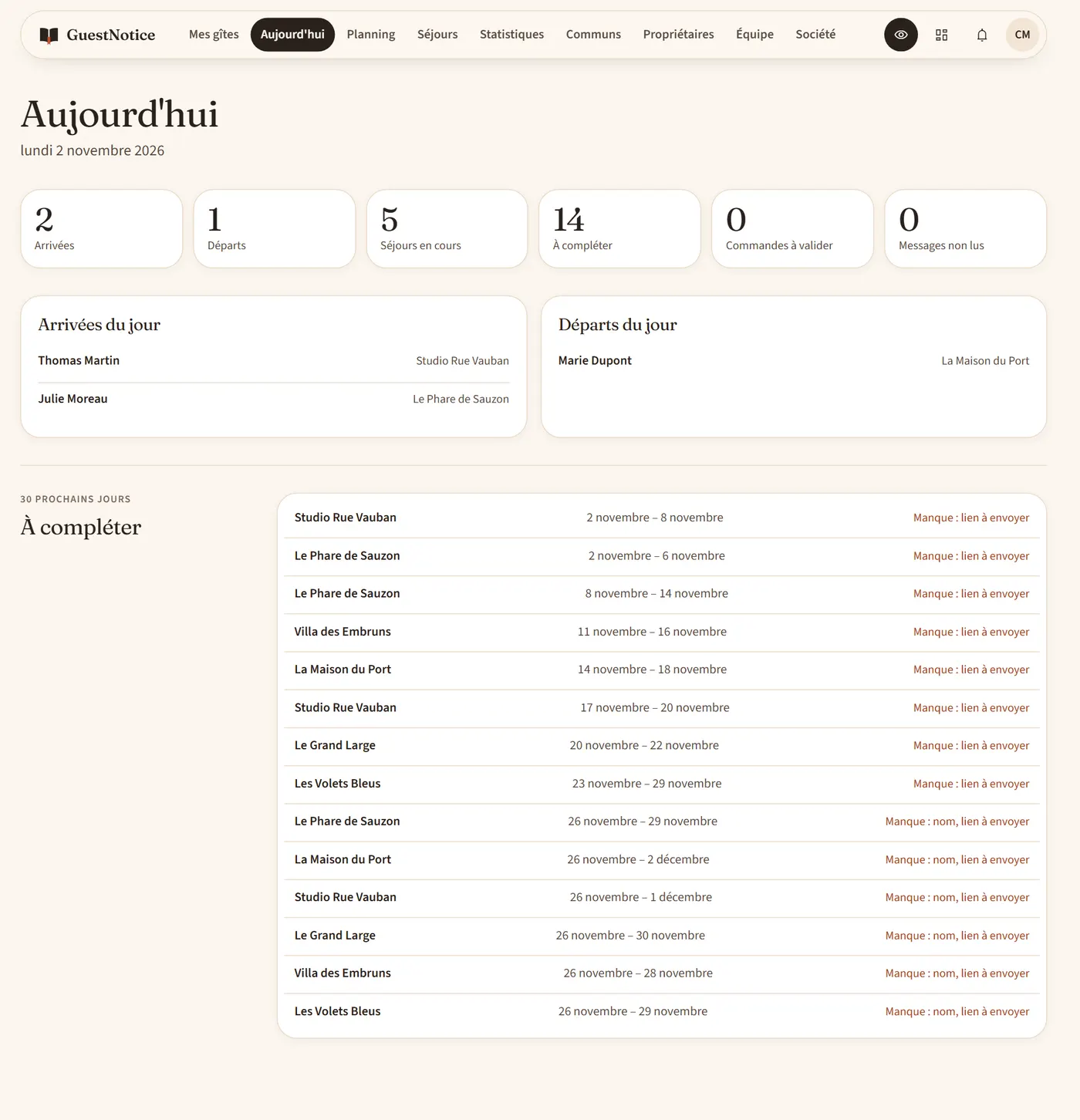
Today's arrivals and departures, what is left to complete, a shared planning, and all your stays in one table, with a CSV export.

The Today screen: arrivals, departures and stays to complete.
02

A login for each person.

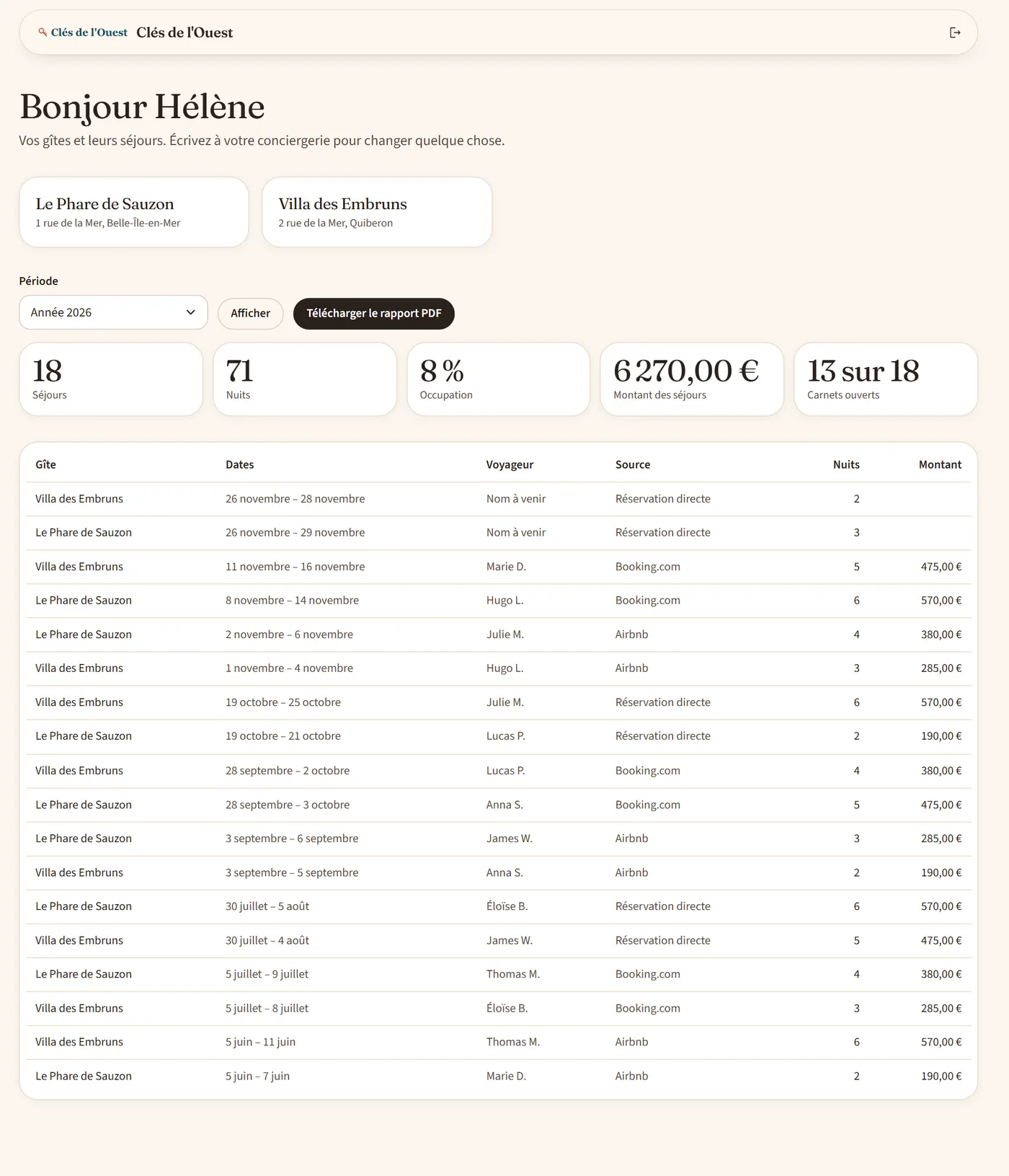
Your colleagues work on the rentals you pick, without seeing the subscription or the payments. Your owners follow their stays and their figures, without a door code or a guest's contact details.

An owner's space: their rentals, stays and figures.
03

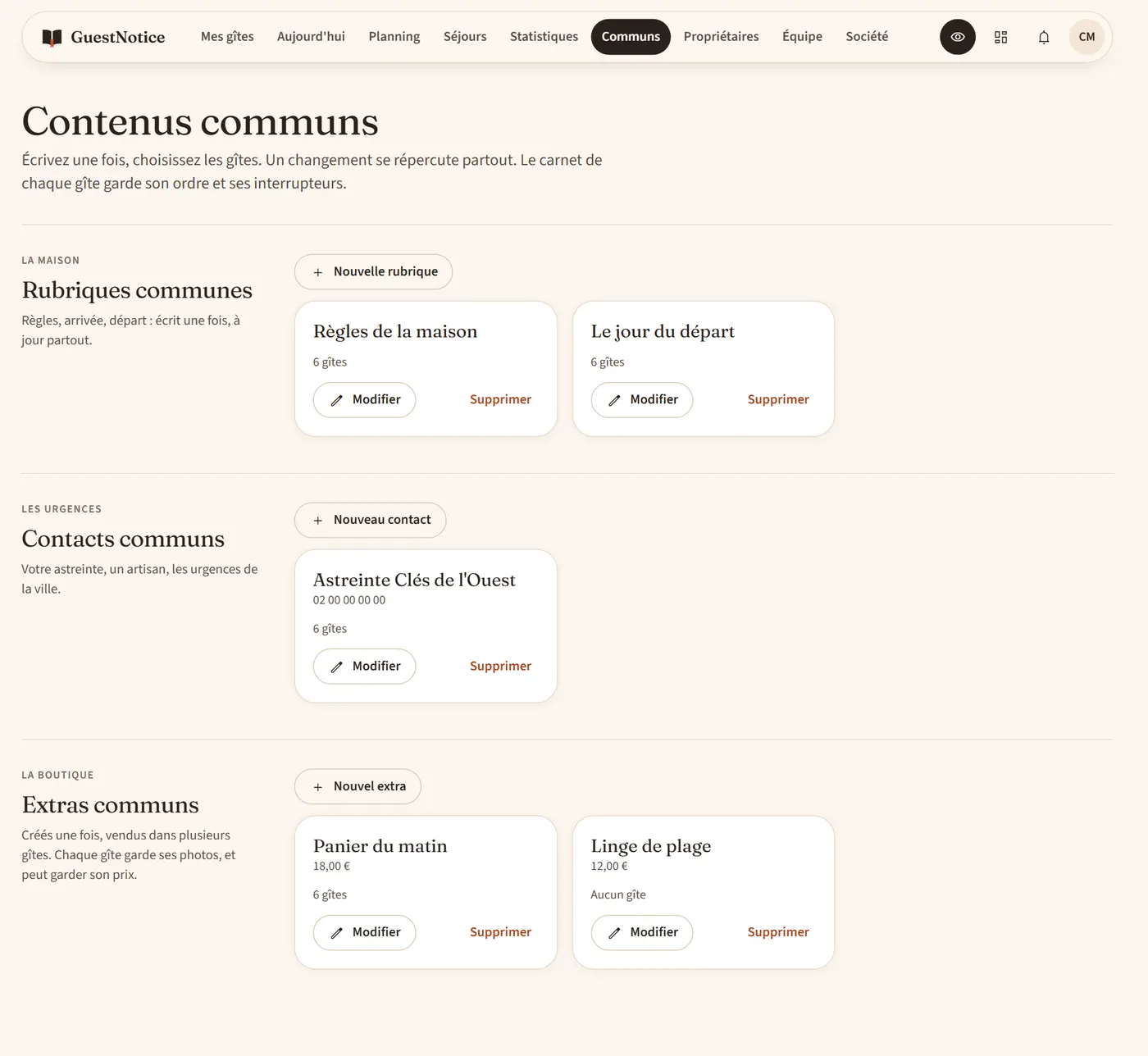
Written once, up to date everywhere.

House rules, emergency contacts, extras: one template, and all the rentals you pick follow. Each rental keeps its photos, and can keep its own price.

Shared content: sections, contacts and extras across rentals.
04

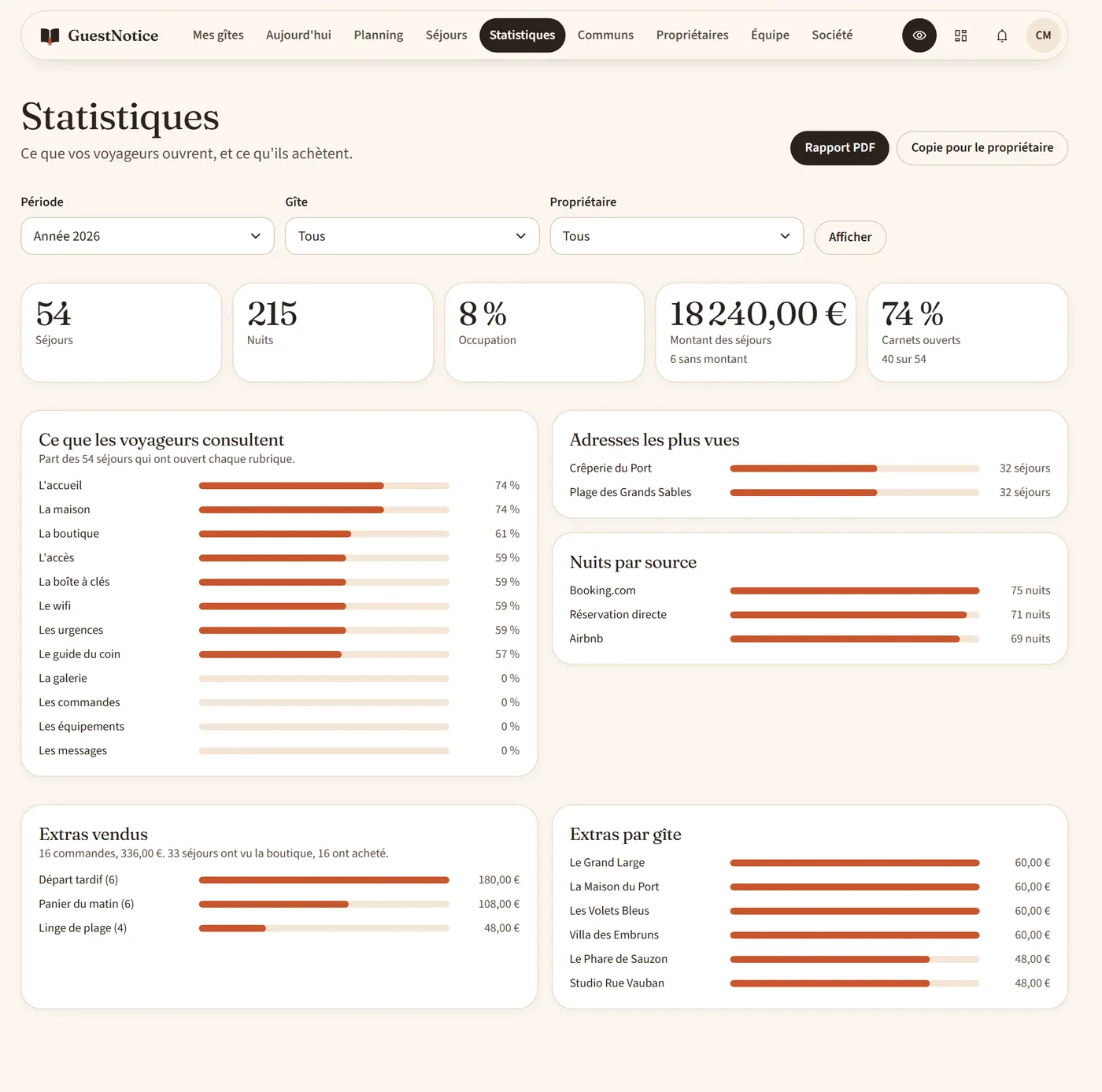
A report to send to each owner.

Stays, nights, occupancy, what guests look at. For a month, a quarter, a half or a year, past or current. As a PDF, with your logo.

Stats: what guests open and what they buy, by period.
05

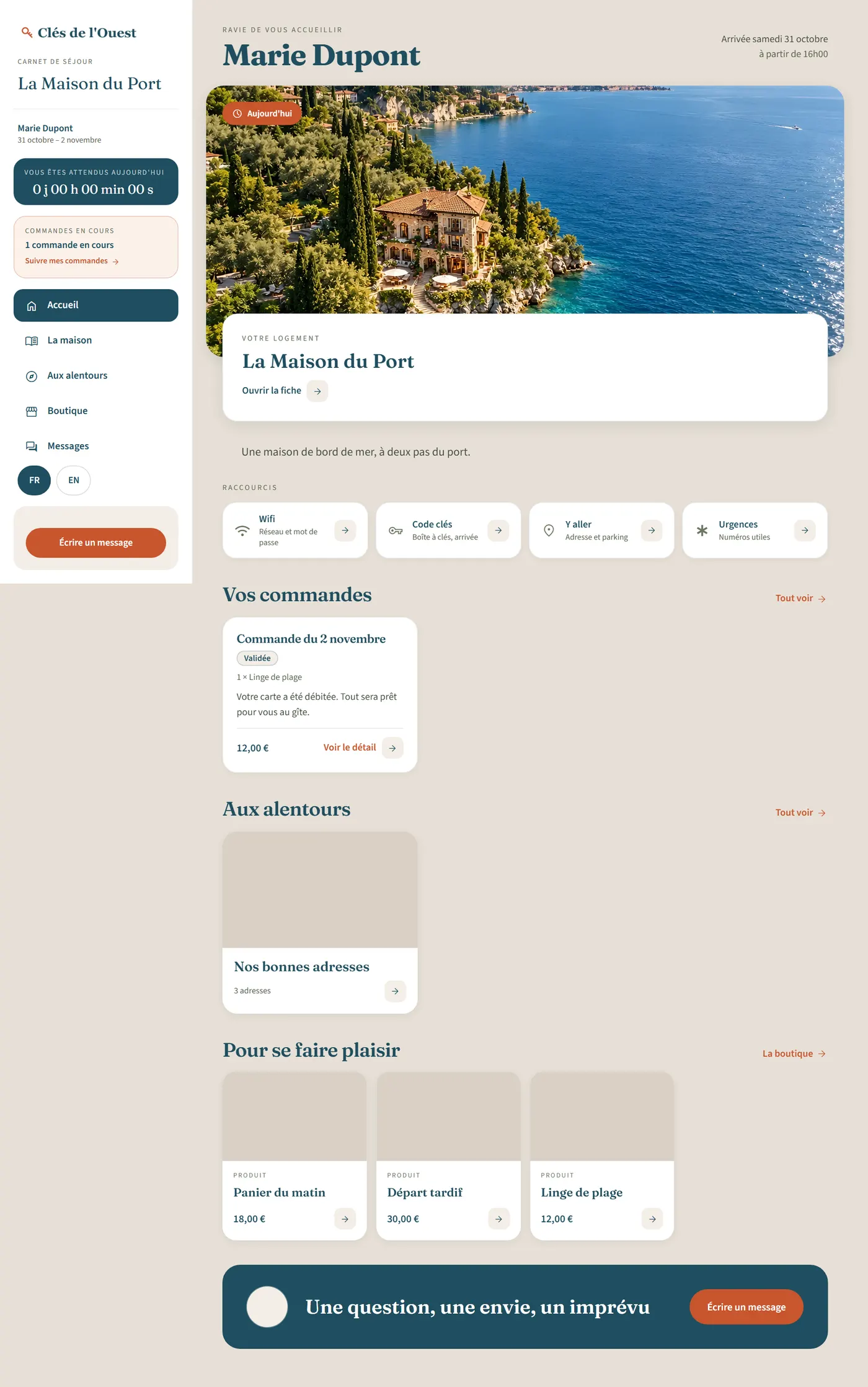
In your name, from start to finish.

Your logo and your colors in the guide. E-mails in your name, with replies coming to you. No mention of GuestNotice in the guide.

A guest's guide, with the logo and colors of the property manager.
06

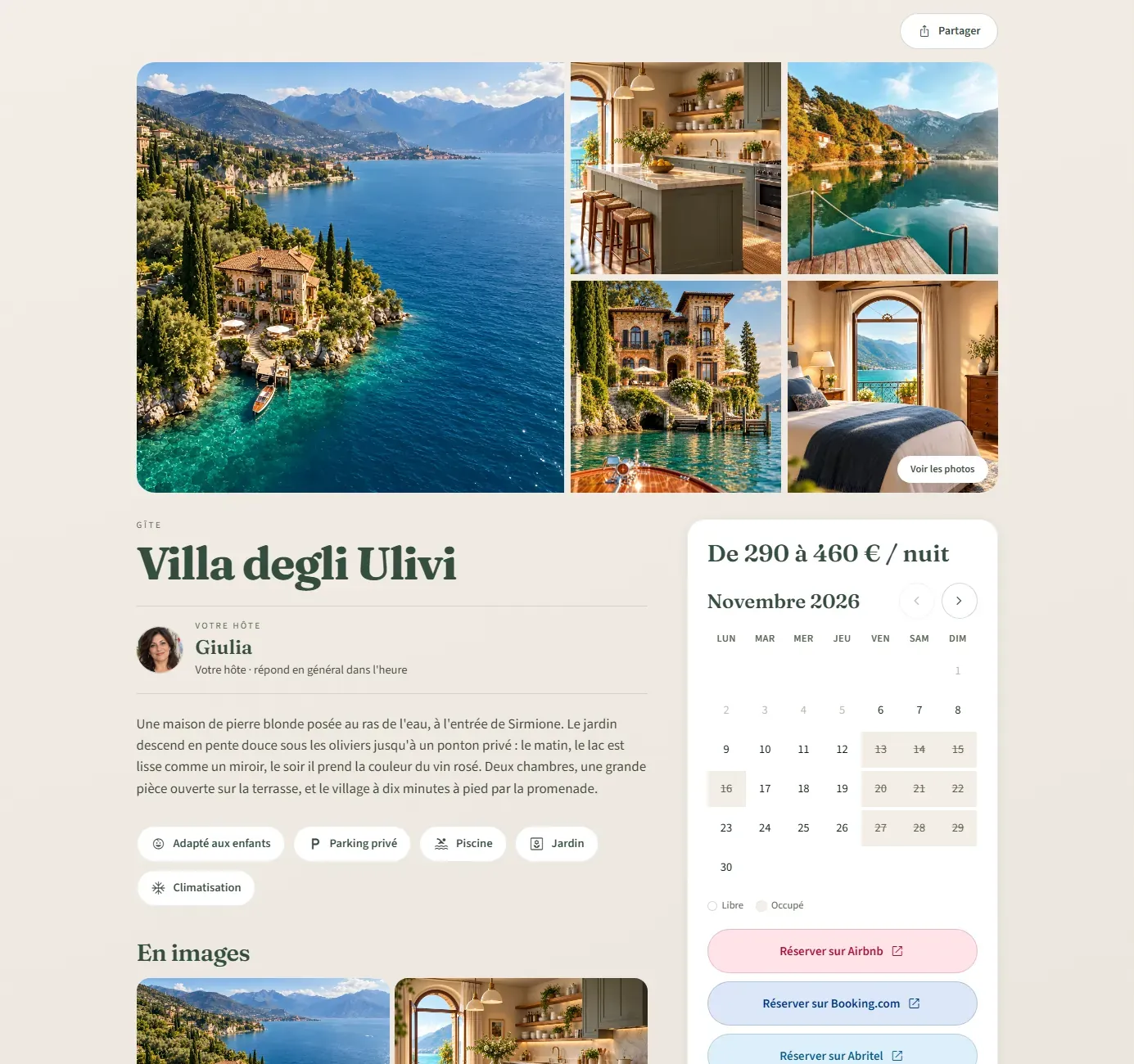
A showcase page for each rental.

Photos, highlights, amenities and open dates, with a button to each listing. One link to share, open to search engines.

A rental's showcase page: photos, price and calendar.
07

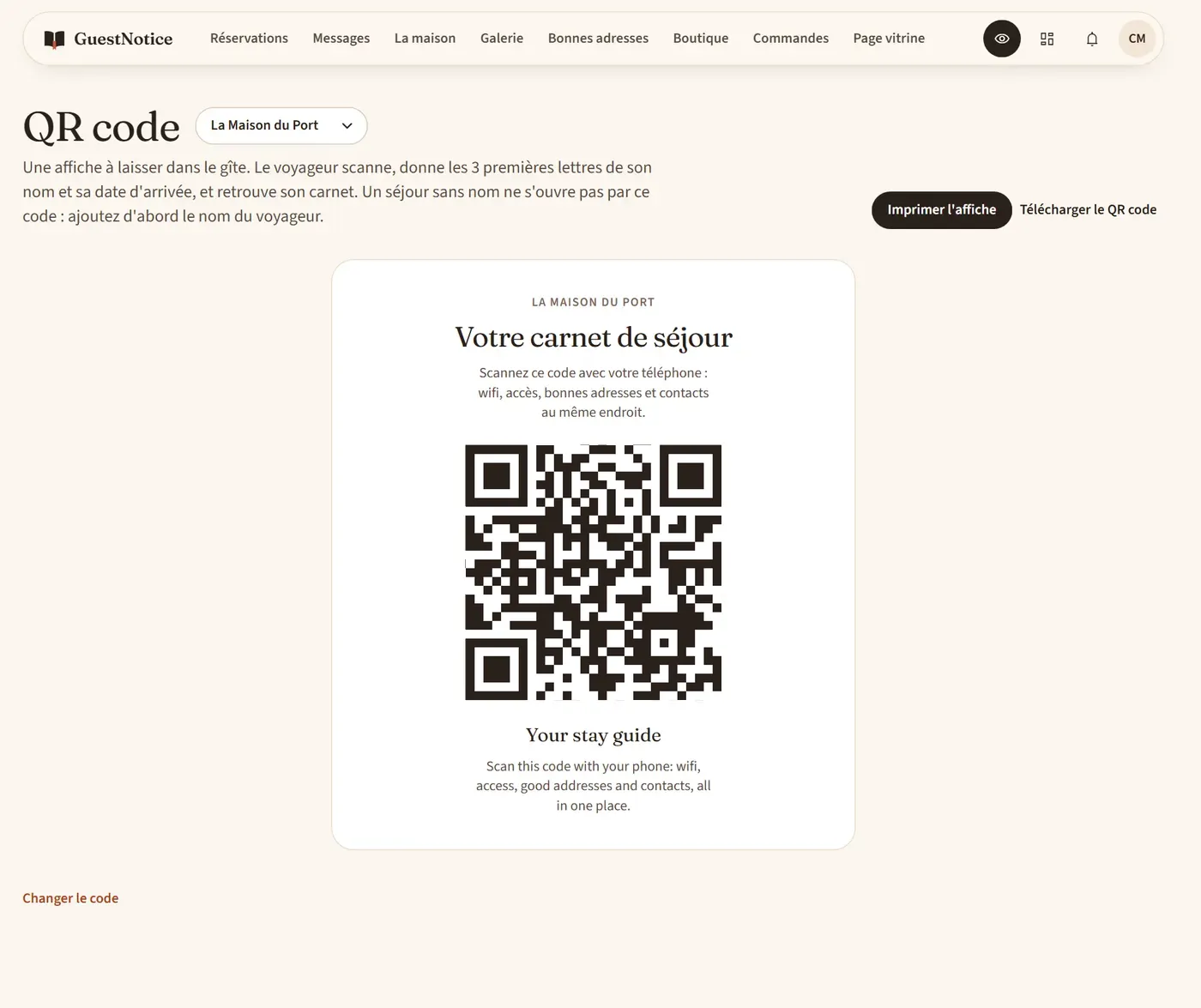
One QR code for every stay.

One poster per rental. The guest scans it, gives the first 3 letters of their name and their arrival date, and finds their guide.

The poster to print, with the rental's QR code.
Compare

GuestNotice or the usual tools.

CriterionGuestNoticeWelcome PDFsShared sheetMessages and calls
One change applied to every rentalYesNoNoNo
The code shown on arrival day onlyYesNoNoPartly
Today's arrivals, for the whole teamYesNoPartlyNo
A limited login for each ownerYesNoPartlyNo
A PDF report per owner, with your logoYesNoPartlyNo
Extras sold and paid by cardYesNoNoNo
The guide in French and in EnglishYesNoNoPartly
How it works

Set up in three steps.

  1. Step 1

    Connect your calendars: one iCal link per rental, from Airbnb or your management software. Each booking becomes a stay.

  2. Step 2

    Write your templates once: your rules, your contacts and your extras. Pick the rentals.

  3. Step 3

    Invite your team and your owners. Send the link to each guest, or put the QR poster in the rental.

Prices

A price that drops as you grow.

Everything is included, with no commission on your extras. Prices exclude VAT.

Billing

Per rental

  • The 1st rental€8.25 excl. VAT / month€9.90 inc. VAT€82.50 excl. VAT / year€99.00 inc. VAT
  • 2nd to 10th, each€4.92 excl. VAT / month€5.90 inc. VAT€49.17 excl. VAT / year€59.00 inc. VAT
  • From the 11th, each€2.42 excl. VAT / month€2.90 inc. VAT€24.17 excl. VAT / year€29.00 inc. VAT

Add or remove a rental at any time. No commitment.

Your portfolio

€100.83excl. VAT / month€1,008.33excl. VAT / year

that is €121 inc. VATthat is €1,210 inc. VAT

or €1,008.33 a year, 2 months freethat is €84.03 a month

Rentals
Create my account
Compare all plans
Questions

What people ask us.

Does GuestNotice replace my management software?

No, it sits on top of it. Your software keeps the bookings, the prices and the accounting. GuestNotice handles what your guests, your team and your owners see.

How do bookings come in?

Through an iCal link, read every hour. Airbnb and your management software create stays by themselves. Booking, Abritel, GreenGo, Gîtes de France and Clévacances show their dates on the planning, and you choose link by link whether they also create stays. An iCal link only gives dates: you add the guest's name, and the stay waits under "To complete" until then.

What does an owner see?

Their rentals, their stays with the guest's first name and initial, their figures and their PDF report. Never a door code, a guest's e-mail or phone number, or your extras revenue.

What does a team member see?

The rentals you give them: stays, messages, orders and content. They see neither the subscription nor the Stripe account.

How are extras paid?

Payments reach your Stripe account. GuestNotice takes no commission on your sales with the subscription.

Are my texts translated?

The guide comes in French and English. Automatic translation prepares your texts, and you can correct them.

What do you measure about guests?

What each stay opens in the guide, with no advertising cookie and no IP address. These figures are deleted 25 months after the stay.

Does the price change if my portfolio changes?

Yes, to the day. Add or remove a rental whenever you want, with no commitment.

Try it onyour rentals.

Enter your email and create your first rental. The property manager space opens with Premium, when you are ready.

No credit card to start.
GuestNotice for property managers · Guides, planning and reports